CartToPDF — Cart as PDF
Extension for Magento 2
User Guide
CopeX GmbH
Web: https://copex.io
Email: office@copex.io
Table of Contents
| Section | Page |
|---|---|
| 1 Requirements | 2 |
| 2 Configuration | 2 |
| 2.1 General Settings | 2 |
| 3 Customer Permission | 3 |
| 4 Features | 3 |
| 4.1 Download Cart as PDF | 3 |
| 5 Troubleshooting | 4 |
1 Requirements
- Magento 2.4.7 to 2.4.9
- PHP 8.3 to 8.5
- Hyvä Theme or Luma Theme
2 Configuration
The module configuration is located in the Magento 2 admin panel under Stores > Configuration > Sales > Quote PDF Settings.
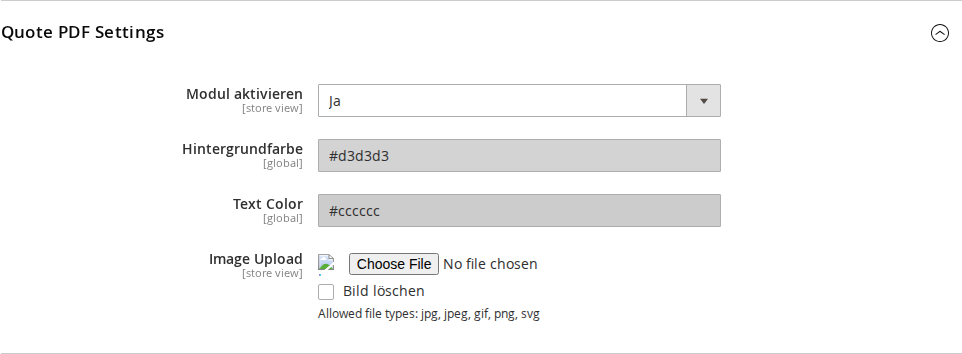
2.1 General Settings
Navigate to Stores > Configuration > Sales > Quote PDF Settings.
- Enable Module — Enables or disables the PDF download function for the cart (Yes / No).
- Background Color — Background color of the PDF header. Selected via a color picker (hex code).
- Text Color — Text color in the PDF header. Selected via a color picker (hex code).
- Image Upload — Logo or image displayed in the PDF header. Allowed file types: jpg, jpeg, gif, png, svg.
3 Customer Permission
The PDF download function is not automatically available to all customers. Access is controlled via a customer attribute:
- The attribute PDF Angebot anzeigen (
display_pdf_offer) determines whether a logged-in customer sees the download button. - This attribute is set when creating or editing a customer account in the admin under Customers > All Customers.
- New customers receive the attribute value via the VAT number field at account creation (plugin logic).
When the module is enabled and the customer has the required permission, a Download Cart as PDF button appears on the cart page.
4 Features
4.1 Download Cart as PDF
Eligible, logged-in customers see a Download button on the cart page (checkout/cart).
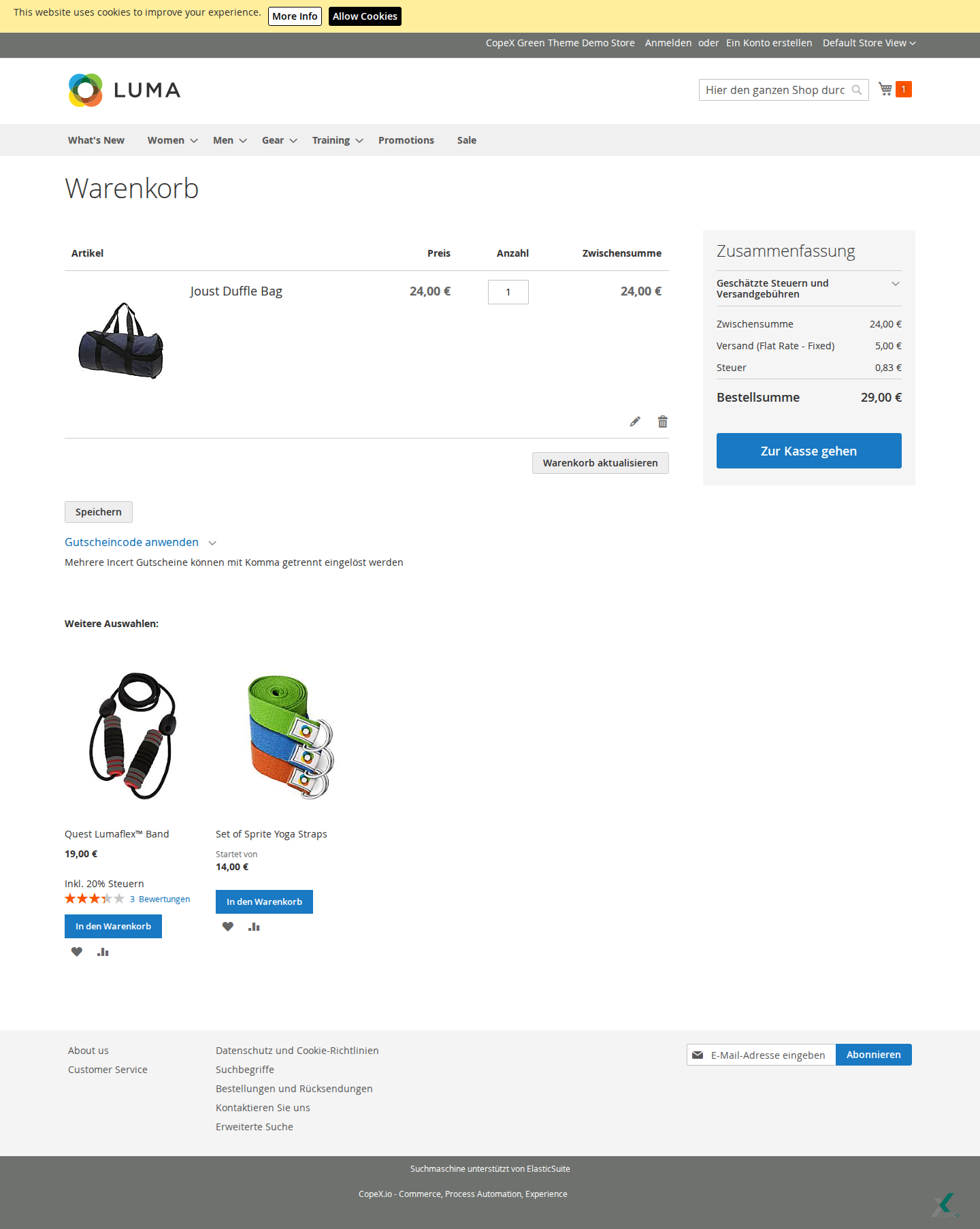
In the frontend view, the PDF download is available as an additional cart action. The button sits within the cart actions area and allows direct export without going through checkout. If the customer permission (display_pdf_offer) is missing or the module is disabled, the button is not shown.
Flow:
- Customer opens the cart and clicks the download button.
- The module loads the customer's active cart (quote).
Helper\PDFHelpercreates the PDF document with:- Header with configured logo and colors
- Customer billing and shipping address
- Table of all cart items (product, quantity, price)
- Totals (subtotal, shipping, grand total)
- The PDF is delivered directly as a browser download.
The PDF serves as a quote document for B2B customers who need to pass a cart along for internal approval.
5 Troubleshooting
-
Download button not visible — Check that the module is enabled under Stores > Configuration > Sales > Quote PDF Settings. Also verify that the customer attribute
display_pdf_offeris set to "Yes" for the relevant customer. -
Cart is empty — A PDF can only be generated for a non-empty cart. If the cart is empty, the module returns an error message.
-
No active cart — If no active quote is found (e.g. after session expiry), an error message is returned.
License
Proprietary — CopeX GmbH. One license per production Magento instance. Test and development environments do not require an additional license.