SaveCart — Save Cart via Email
Extension for Magento 2
User Manual
CopeX GmbH
Web: https://copex.io
Email: office@copex.io
Table of Contents
| Section | Page |
|---|---|
| 1 Requirements | 2 |
| 2 Configuration | 2 |
| 3 Features | 2 |
| 3.1 Saving the Cart and Sending the Link | 2 |
| 3.2 Restoring the Cart | 3 |
| 4 Troubleshooting | 3 |
1 Requirements
- Magento 2.4.7 – 2.4.9
- PHP 8.3 – 8.5
- Working email delivery in Magento (SMTP configured)
- Hyvä Theme or Luma Theme
2 Configuration
This module has no backend configuration. After installation it is immediately active and shows a Save button on the cart page.
3 Features
3.1 Saving the Cart and Sending the Link
On the cart page (checkout/cart), a Save button appears. Customers can use this button to email their current cart to themselves.
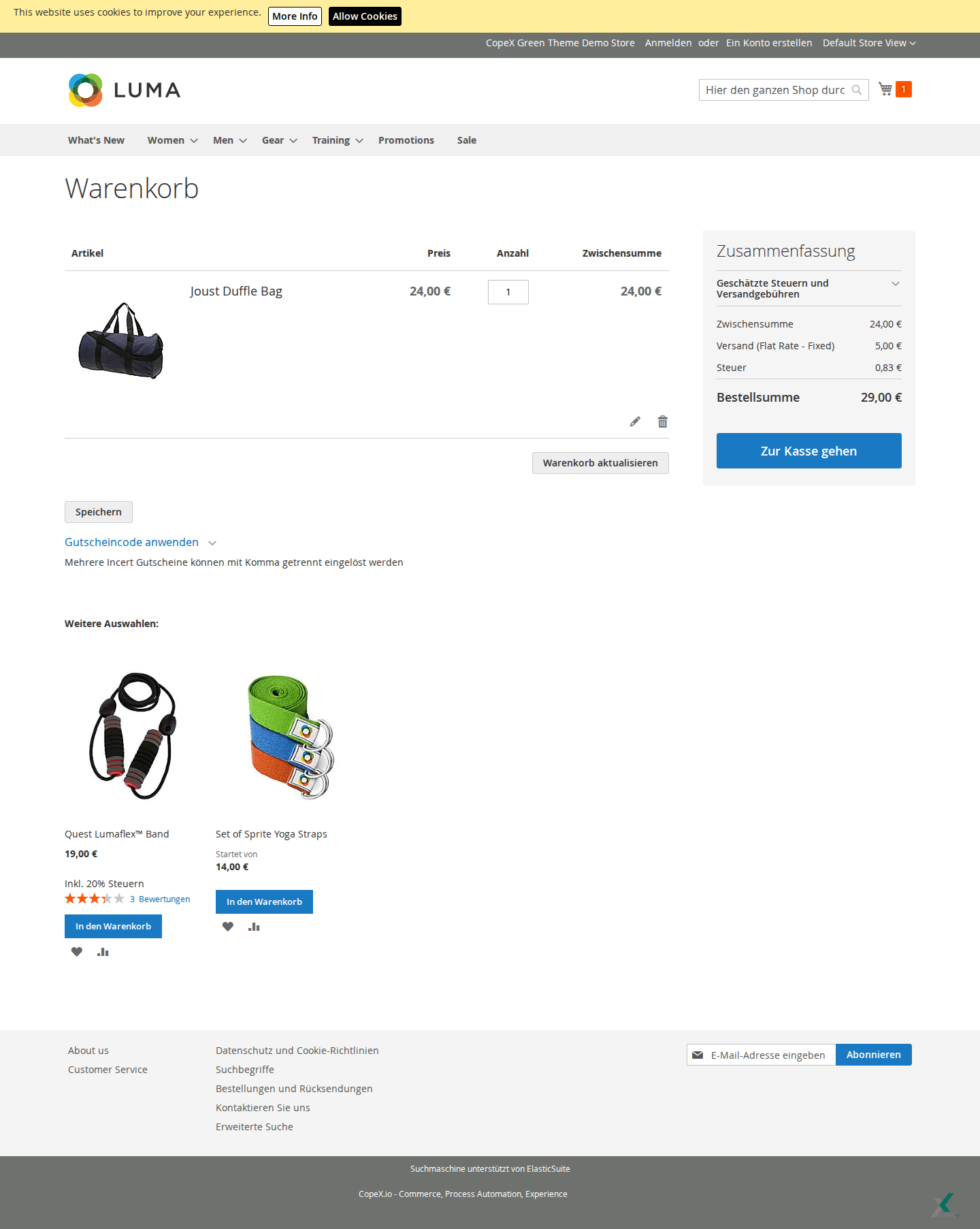
On the frontend, the save feature is placed directly in the cart, making it accessible during the normal checkout flow. After clicking, a dialog/field appears for entering an email address. This allows a purchase in progress to be paused and resumed later with the same cart. If the cart is empty or JavaScript is blocked, the feature may not be available depending on the theme/template.
Flow:
- Customer opens the cart with items.
- Customer clicks Save.
- A popup appears where an email address can be entered.
- Customer enters their email address and clicks Send Cart Link.
- The module generates a unique, encrypted link for the current cart.
- An email containing the restore link is sent to the provided address.
- The current cart is internally marked with the email address and the
saved_quoteflag.
3.2 Restoring the Cart
The customer receives an email with a Go to Cart button.
Flow when clicking the link:
- Customer clicks Go to Cart in the email.
- The encrypted hash in the URL is decoded to determine the Quote ID.
- The saved cart is loaded and set as the active checkout cart.
- Customer is redirected to the cart page and finds the saved cart.
The link works even for non-logged-in customers. After restoring, the customer can continue shopping or proceed to checkout.
4 Troubleshooting
-
Email is not sent — Make sure email delivery is correctly configured in Magento (Stores > Configuration > Advanced > System > Send Emails Settings). Also check the Magento email logs.
-
Cart link does not work — The link contains an encrypted hash. If the hash cannot be decoded or the cart no longer exists (e.g. due to expiry), the restore fails. Customers must refill their cart in this case.
-
Popup does not appear — Make sure JavaScript is enabled in the browser. Clear the browser cache and the Magento cache.
-
Security: Form key — The module validates the Magento form key when sending the cart link. The process fails if the key is missing or has expired.
License
Proprietary — CopeX GmbH. One license per production Magento instance. Test and development environments do not require an additional license.