ProductListAttributes — Product Attributes in the Category List
Extension for Magento 2
User Manual
CopeX GmbH
Web: https://copex.io
Email: office@copex.io
Table of Contents
| Section | Page |
|---|---|
| 1 Requirements | 2 |
| 2 Configuration | 2 |
| 3 Usage | 2 |
| 3.1 Configuring Attributes per Category | 2 |
| 3.2 Frontend Display | 3 |
1 Requirements
- Magento 2.4.7 – 2.4.9
- PHP 8.3 – 8.5
- Hyvä Theme or Luma Theme
2 Configuration
This module has no global backend configuration. Configuration is done directly in the category settings.
3 Usage
3.1 Configuring Attributes per Category
The module adds a new text field Product List Attributes to every Magento category.
To configure the attributes:
- Navigate to Catalog > Categories in the backend.
- Select the desired category.
- Find the field Product List Attributes in the General Information section.
- Enter the attribute codes separated by commas.
Example:
material,color,size
This outputs the values of the attributes material, color, and size for all products in this category. The attribute codes must match exactly with the Magento attribute codes (found under Stores > Attributes > Product).
Note: If the field is empty, no additional attributes are displayed. The configuration is category-specific — each category can have its own attribute list.
3.2 Frontend Display
In the category product list, the configured attributes are displayed below the product name (or at the position defined by the template).
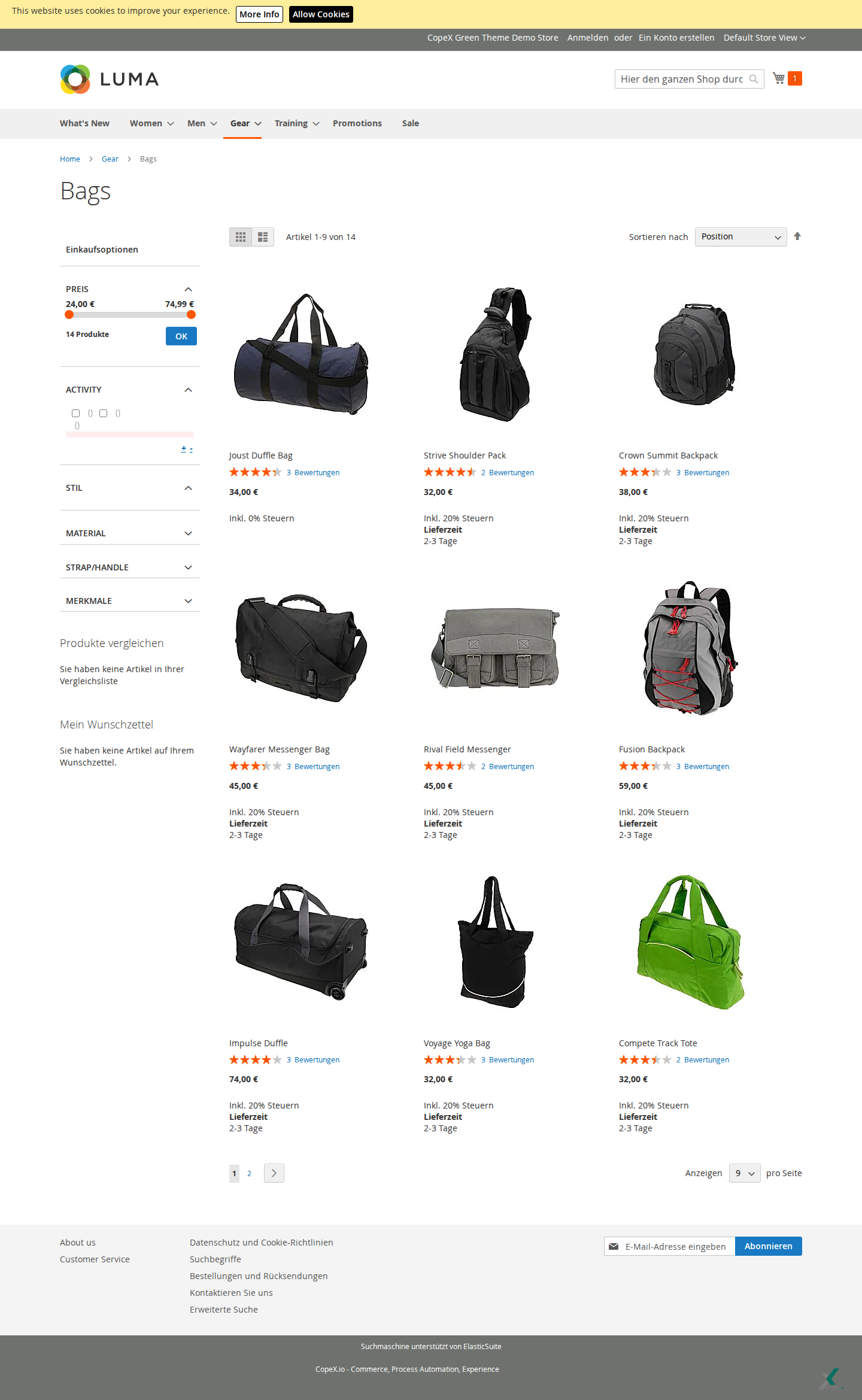
On the category page, the additionally configured product attributes appear directly on each product card. Customers can see key characteristics such as material, color, or size in the product overview without having to open the product detail page. Products without a value for a configured attribute do not show that entry, so the display can vary per product.
For each product, the value of each configured attribute is retrieved and output. If a product has no value for a configured attribute, that attribute is not shown for that product.
The module is compatible with all themes (Hyvä and Luma).
Sample output per product in the category list:
Product Name
Material: Cotton
Color: Blue
Size: L
Troubleshooting
-
Attributes are not displayed — Check that the attribute codes are entered correctly and separated by commas in the category field. Make sure the products have the configured attributes and that these are visible to the customer-facing storefront.
-
Wrong attribute order — Attributes are displayed in the order in which they were entered in the category field.
License
Proprietary — CopeX GmbH. One license per production Magento instance. Test and development environments do not require an additional license.